How do I activate my license?
If you don't have your license activated, you will only be able to receive votes from 3 keypads.
Activating your licence - Online
The software installs in evaluation mode, in this mode you can setup and test your keypads, create voting slides and export data to Excel. However, during a live vote only the first 3 votes will be registered. To activate your software to allow all your keypads to vote follow
these steps.
- Load PowerPoint and select Add-ins > CLiKAPAD > About v5
- Select Register > Retrieve Licence.
- Enter your email address and your licence number.
- Click the Online Licence button. ppvote will now attempt to contact the licence server.
- If prompted to confirm this is the correct licence, select Yes then click
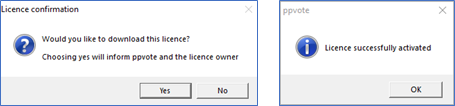
- If prompted to activate your licence, click the green Activate button.
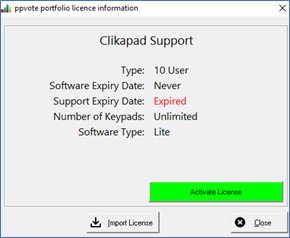
- Your licence is now fully activated, repeat this process on all computers that you wish to use for live voting.
NB: If the above method does not work for you, such as if your firewall blocks it, there is a method to import a license file. The file can be obtained by contacting support@clikapad.com